How to Use DPO.ADTOMATIC
New here? No problem. Follow these 5 steps in order and you'll have your business data protection sorted. Each step builds on the one before it.
Create your account
Go to Sign Up, enter your name, work email, and a password. We'll send a 6-digit code to your email just type it in to confirm it's you. That's it.
Sign UpSet up your company
After signing in, you'll be asked to create your organisation. Type in your company name. Everything you do on this platform your compliance progress, documents, training is saved under this workspace.
Set Up CompanyCheck your Dashboard
Your dashboard is your home base. It shows how compliant your business is right now, what tasks need attention, and how your team's training is going. Come back here often.
Go to Dashboard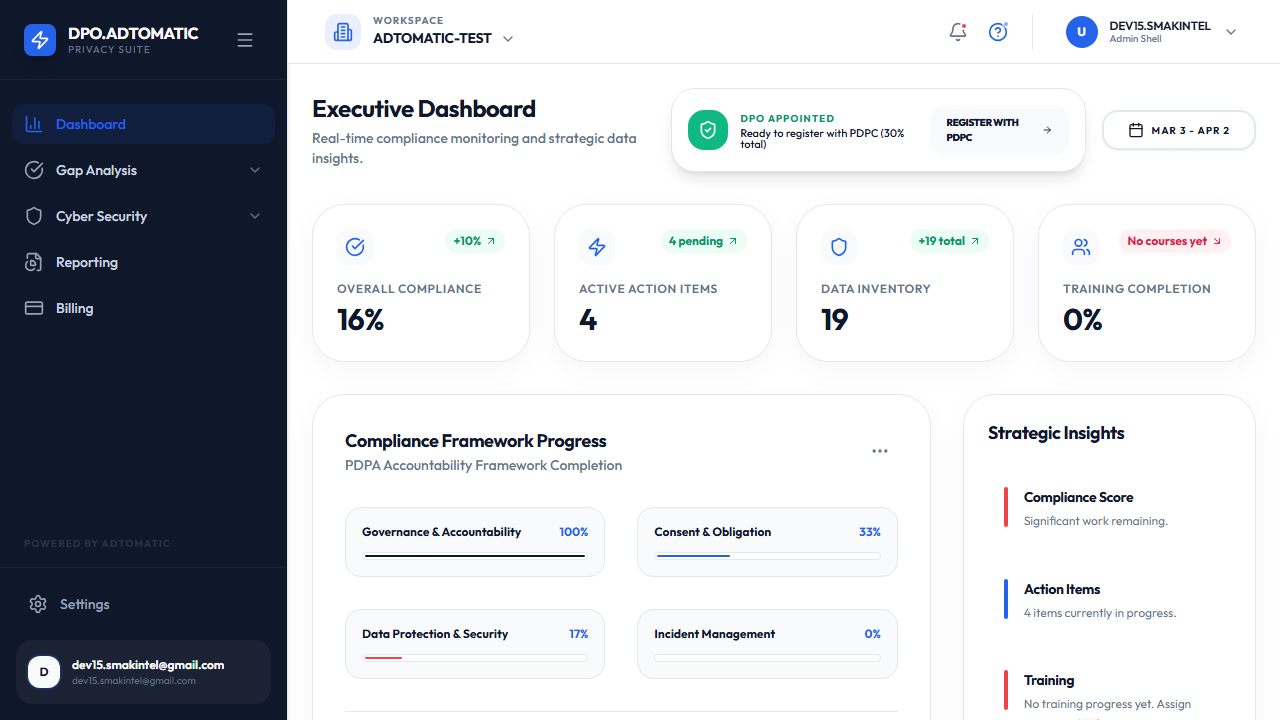
What does"data protection"actually mean?
The law says businesses must follow these 9 rules when handling personal data. They apply in Singapore (PDPA), Europe (GDPR), and most other countries.
Consent
Ask permission before collecting someone's data
Purpose Limitation
Only use data for the reason you collected it
Notification
Tell people what data you collect and why
Access & Correction
Let people see and fix their own data if they ask
Accuracy
Keep the data you hold correct and up to date
Protection
Use passwords, encryption, and access controls to keep data safe
Retention Limitation
Delete data when you no longer need it don't keep it forever
Transfer Limitation
If you send data overseas, make sure it's still protected
Breach Notification
If data is leaked or stolen, report it to the regulator quickly
Need help? info@adtomatic.com +65-97223997